
As Director of Learning Spaces and Technologies, Tom is involved in a range of projects and activities at the intersection of learning, technology, and community. In addition to overseeing the management of academic software and learning spaces, Tom provides support for and custom development work for a variety of web tools and platforms including Canvas, WordPress, and Google Drive. He also contributes to conversations about accessibility, emerging teaching practices, and seeks opportunities to create experiences that further enhance the student learning experience in face-to-face, hybrid or online environments.
Projects
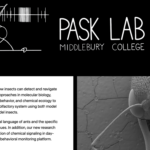 Pask Lab
This site was created to showcase the work done by the Greg Pask and the undergraduate researchers in the Pask Lab. The site is a custom WordPress theme designed based on Greg’s interest in comics. The site is hosted on MiddCreate.
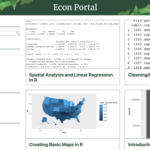 Econ Portal
This site was developed in collaboration with David Munro to host tutorials created for the Economics Department. This WordPress-based site enables sophisticated searching and templating to enable easy and consistent authoring.
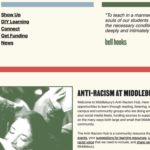 Anti-Racism Hub
This is a custom WordPress theme designed with Middlebury’s anti-racism task force to share community-submitted resources. The design uses VTC Martin as the font for titles which is a typeface inspired by the Memphis Sanitation Strike of 1968.
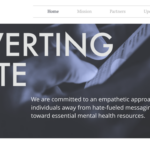 Diverting Hate
DLINQ assisted in the initial website creation and logo design. This project moved off MiddCreate after the students graduated and successfully pursued a grant to expand the project. That’s one of the great things about the platform, you can use it to get started for free and then transfer your content as the project grows or you move on to other things.
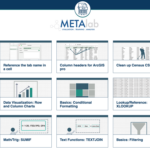 Learn Excel
A custom WordPress theme created in collaboration with META Lab to house Excel tutorials. The theme is focused on easy and consistent authoring.
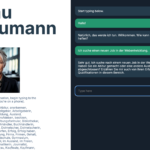 German AI Scenarios
This project was created in partnership with professor Florence Feiereisen (German) as part of the Spring 2025 Digital Teaching and Learning grant series. The goal was to develop interactive AI-driven language experiences tailored to specific vocabulary sets and varying real-world scenarios. Students engage in dynamic, conversational exchanges generated by the AI, practicing targeted vocabulary within relevant contexts, such as navigating travel situations, or participating in workplace dialogues. Each interaction adapts to the learner’s responses, offering personalized feedback and reinforcing linguistic skills through realistic practice. This approach not only enhances vocabulary retention but also builds confidence by improving conversational fluency.
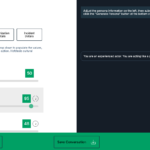 AI persona builder for Hofstede's cultural dimensions theory
Tom Woodward partnered with Daniel Chatham, Professor of International Education Management at the Middlebury Institute for International Studies at Monterey, to give students in Chatham’s Management class a way to practice and reflect on management conversations using generative AI. Tom built a custom website interface using the OpenAI API that lets students toggle cultural and personality factors, based on Hofstede’s Cultural Dimensions framework, to see how they shape a simulated management conversation. Students use these toggles to engage in text-based conversations that explore and identify effective approaches for different management situations. See more about the interface in this short overview video.
 Single-Sign-On and GitHub Workflow for MiddCreate
Tom Woodward partnered with Prof. Michael Durst to set up SSO-protected directories on MiddCreate, giving Durst a secure space to publish an open source textbook built with Quarto.
The publishing workflow uses GitHub Actions so that updates pushed to the repository are automatically built and published to MiddCreate, removing the need for manual deployment steps each time content changes. The SSO protection ensures the site can be restricted to authenticated Middlebury users where needed.
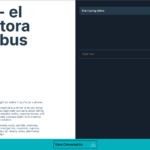 Target Language AI Scenarios
Tom Woodward partnered with a number of Middlebury’s language faculty to build a target language AI chat scenario tool in WordPress, giving instructors a form-based way to construct conversation practice for students.
Instructors fill out fields in WordPress to define a scenario: the target language, a persona (name and role, such as a bus driver), a situation, a language level, and vocabulary to emphasize. Submitting the form generates a WordPress post listing the scenario, in English, the target language, or a mix of both, with a button that launches the chat.
In the chat, students type in the target language and get gentle, in-context corrections, similar to a native speaker naturally guiding the conversation. Students can save the exchange as a text file to turn in or reference later, broken down into a human/AI dialogue format
 Google Portfolio Viewer for Future Teachers
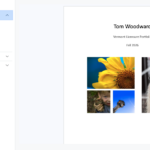
DLINQ worked with Jason Martel in the Master of Arts in Teaching program to build a workflow for provisioning student content and an interface for evaluating and sharing student portfolios. This project allows them to duplicate and share content in Google Drive to all the students in the program with the touch of a button. It also provides a consistent and functional interface for portfolio reviewers without students having to learn a new tool or take on extra work.
 Meditation Course Audio Player
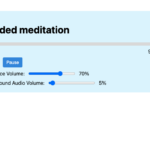
An instructor teaching an online meditation course wanted students to have the ability to play two different synced audio files while also controlling the volume independently. We created a web interface to make it easy to build and we could then include it in Canvas using an iframe. You can try out the media object here and see the builder here.
 AI Language Tool Index
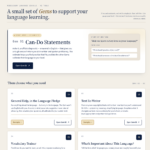
This web site loads content from an easily editable WordPress site to present the Language School’s Google Gems in an attractive and interactive fashion. The ability to create simple structured editing in one tool and display that content in different ways for different audiences is useful in an incredible number of scenarios.
 Timeline WordPress Theme for Disability Studies
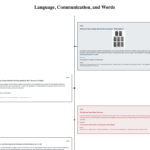
This WordPress theme is broadly applicable, but was created for Professor Susan Burch’s Deaf History course. This theme is focused heavily on students creating the timeline content. The goal was to provide a simple interface that let students create consistent and accessible content.
 Preserve your website
There are many reasons to archive a website.
A WordPress site may no longer need regular updates, but you may still want to keep the content available. We can create a static HTML version that preserves the site while reducing file size, maintenance, and security concerns. The archived site can remain at its existing MiddCreate address or be saved to your computer for future reference.
Archiving can also help when a site was built on a third-party platform or with a tool that is being discontinued. In many cases, we can preserve the content in an interactive format so that your work remains accessible and useful.
 Tree House Fund Logo and WordPress Theme
This WordPress theme was created to support the Tree House Fund. A timeline layout was built to help document interesting entries in the Tree House construction diary. Alumni can submit memories in a vetted way. Funded Tree House projects are also displayed in a timeline view.
Social Science Research Site WordPress Customizations
https://researchmethods.middcreate.net/
https://github.com/woodwardtw/dlinq-ssr-addons
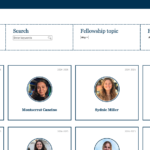 Graduate Conflict Transformation WordPress Site Theme
The Graduate Conflict Transformation program needed a simple site to display fellows, grant opportunities, projects, and other elements of interest to their community. This simple WordPress theme focuses on simple navigation and the ability to build facet-based searching and displays.
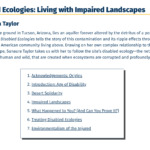 Book Study WordPress Theme
Participating in a number of book studies led to the creation of the Book Study WordPress theme. The theme focuses on building a layout based on the book’s chapters. With each chapter, you can provide a summary, discussions question and associate experts and resources that expand on the chapter’s themes. These items can be created centrally or submitted by participants.
